Connect Design to Operations with Autodesk Tandem
PMC is an Autodesk Tandem partner, helping owners and project teams turn the BIM data they already create into structured, usable digital twins. Instead of leaving valuable information behind at project closeout, Tandem brings models, drawings, and asset data together into one clear, navigable view of the facility. The result is a connected digital environment that supports operations, maintenance, and future improvements with accurate, accessible building information.

SQFT Scanned
Projects Completed
Experience
Satisfied Customers
Connect Your Facility Data with Autodesk Tandem Digital Twins
- Creates a living digital twin by transforming BIM data into an organized, interactive model of your facility.
- Improves asset visibility with detailed digital representations of building systems, spaces, and components.
- Delivers a structured digital twin deliverable that captures design and construction data in a clear, usable format facility teams can easily maintain.
- Supports better decision-making through centralized, up-to-date asset information accessible to all stakeholders.
- Reduces operational inefficiencies by making it easier to track equipment, plan maintenance, and identify issues early.
- Improves long-term facility management by preserving essential data needed for operations, upgrades, and compliance.
- Strengthens collaboration and coordination by keeping architects, engineers, contractors, and owners aligned through one shared digital model.
- Promotes consistency across projects with repeatable workflows and templates for structured data delivery.
Key features of Tandem Autodesk
- Digital Twin Configuration: Provides tools to define, structure, and manage digital twin models, including asset hierarchies, data schemas, and spatial relationships.
- Structured Data Mapping: Aligns asset data with defined schemas (standardized data fields and formats) to support consistent information management across the project lifecycle.
- Visual Model Navigation: Enables users to explore building systems and spaces through an interactive, model-based interface.
- Custom Tags and Properties: Allows teams to define project-specific metadata to match operational and maintenance needs.
- Data Validation Checks: Built-in tools help verify asset completeness and accuracy before model handover.
- Project Templates: Supports standardized project delivery through reusable configuration templates.
- Facility Dashboard Views: Displays key facility information in a clear and organized dashboard format.
- Multi-Model Coordination: Supports multiple models within a single environment for complex facilities or multi-building sites.
- Change Tracking and Logs: Captures a history of updates and user actions for greater transparency and control.
- API Access: Offers integration options with other facility systems through secure and flexible APIs.
Use Cases and Applications of Autodesk Tandem
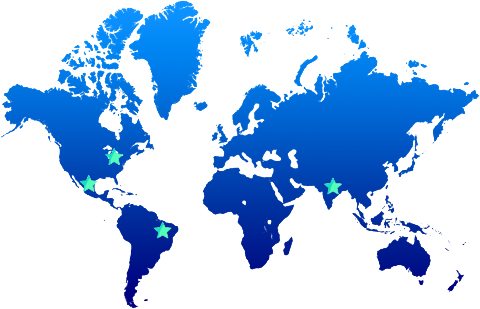
Multi-Site Management
Facility Management
For facility teams, Autodesk Tandem serves as a single digital reference for spaces, systems, and equipment. PMC sets it up so staff can quickly find information, plan maintenance, and support daily operations with accurate facility data.
Property Management
Franchise Management